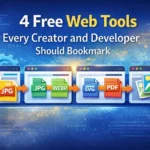
In today’s digital world, simple tasks like converting images, creating QR codes, or turning files into PDFs shouldn’t require expensive software or technical skills. That’s where online web tools come in.
Our platform offers a collection of fast, lightweight, and easy-to-use web tools designed to solve everyday problems for designers, developers, marketers, students, and regular internet users.
In this article, we’ll walk through some of our most popular tools and explain why they are useful and how they can save time in real-world scenarios.
Images are one of the biggest reasons websites load slowly. Large JPG files can seriously affect performance, especially on mobile devices.
The JPG to WEBP tool allows you to convert standard JPG images into the modern WEBP format, which offers:
Smaller file size
Better image quality
Faster page load speed
This tool is especially useful for:
Website owners improving page speed
Developers optimizing performance
Bloggers and eCommerce store owners
Instead of manually compressing images or installing plugins, you can convert images instantly with just one upload.
QR codes are everywhere—from business cards to product packaging and restaurant menus. Creating one shouldn’t be complicated.
Our QR Code Generator lets you generate QR codes for:
Website links
Contact details
Social media profiles
Text or custom URLs
This tool is useful for marketers, small business owners, and event organizers who want a fast way to share information without typing long links. No login, no tracking confusion—just clean, functional QR codes ready to use.
SVG files are great for scalability, but not every platform supports them properly. Many users struggle when they need a PNG version of an SVG graphic.
The SVG Code to PNG tool solves this problem by converting raw SVG code into a high-quality PNG image. This is ideal for:
Designers exporting assets
Developers previewing SVG files
Users sharing graphics on social platforms
You simply paste the SVG code, and the tool instantly generates a PNG—no design software required.
Sometimes you need to submit images as a single PDF file—for work, school, or documentation. Doing this manually can be frustrating.
The Image to PDF tool allows you to:
Convert multiple images into one PDF
Maintain image quality
Download instantly without watermark
This tool is perfect for students, professionals, and anyone who needs a quick way to organize images into a clean, shareable document.
What makes these tools valuable isn’t just what they do—but how easily they do it.
No software installation required
Works directly in the browser
Simple interface for non-technical users
Useful for both professionals and beginners
These tools are designed to remove friction from common digital tasks, helping users focus on their work instead of technical steps.
Small tools can make a big difference when they are designed well. Whether you’re optimizing website images, generating QR codes, converting SVG files, or creating PDFs, having access to reliable online tools saves time and effort.
If you regularly work with images, documents, or web assets, bookmarking a trusted web tools platform can make your daily workflow much smoother.

 Ashfaq Ahmed